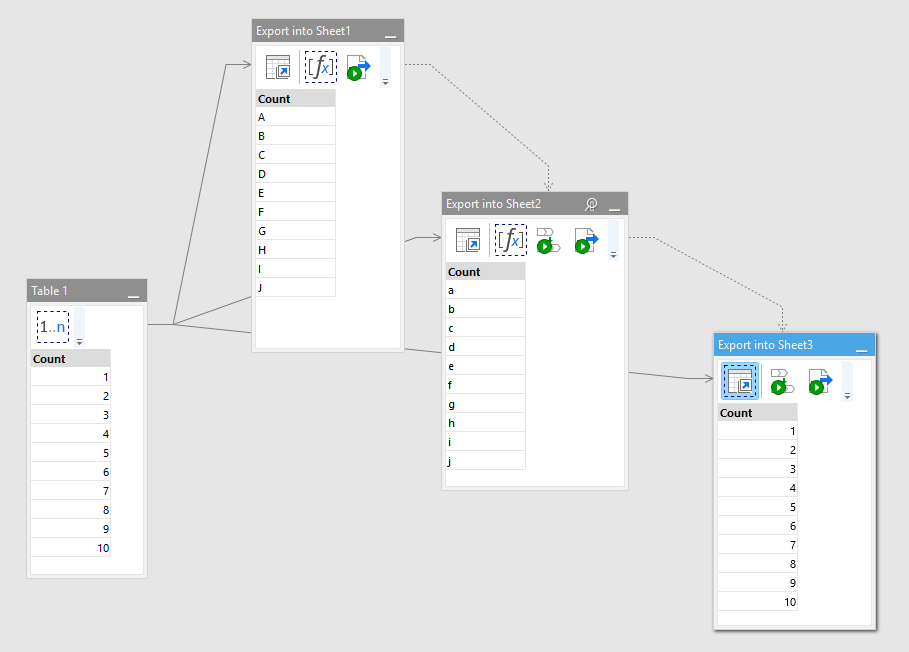
Exporting 3 independently calculated tables into 3 sheets of the same spreadsheet.
Synchronize.morph (3.6 KB)
Book1.xlsx (6.9 KB)
Read more here: Using Synchronize transformation
Exporting 3 independently calculated tables into 3 sheets of the same spreadsheet.
Synchronize.morph (3.6 KB)
Book1.xlsx (6.9 KB)
Read more here: Using Synchronize transformation
Hi @Hendrik_Lombard,
Thank you for reporting it. We will try to replicate the issue and get back to you.
For now can you please try to add the "Wait" action with 2 seconds delay before each export action?
I tried putting Wait 2 sec both before and after Syncronize action.
The result remained the same as before.

Hi @Hendrik_Lombard,
It seems that you have chosen "Create new file" mode in your "Export to Excel" actions with "If a file already existis" option set to "Rename". Hence the backup files.
If you want to export several sheets to the same Excel file, you can choose "Create new file" mode only for the export of the first sheet. For all the following sheets you have to choose either "Create new sheet in existing file" or "Replace sheet\range in existing file" modes.
Thanks - that was my problem
