Is it possible to use te selected values of a multi-select parameter to filter a dataset?
Did not have the syntax for the contains function correct. I use now: contains([fieldname], {multiselect}). But this only works with one selected value
Hi Emile! The expression would be the other way around:
contains({multiselect}, [fieldname])
This way, you are checking if the value of the field is contained in the parameter (the multiple choice list).
However, this method is not 100% reliable because let's say that you have a Multi-select where you have selected:
Berry
Sugar
Carrot
Blueberry
And in your dataset you have a list of ingredients:
Ingredients:
Powder
Strawberry
Carrot
Lemon
If you were to do the filter, you would keep "Strawberry" and "Carrot", however you never selected "Strawberry", it just appeared because "Berry" is included inside it.
I recommend instead making the multi-select parameter a list inside EasyMorph (by first displaying its value with the Parameter table action, and then using the Spit delimited text into rows action). Then, you can use that list to filter the values from the dataset, by using the Keep/remove matching action.
Here's a sample project that does this, the multi-select parameter is a list of states in the US, and depending on the ones you choose, the dataset file gets filtered based on that list:
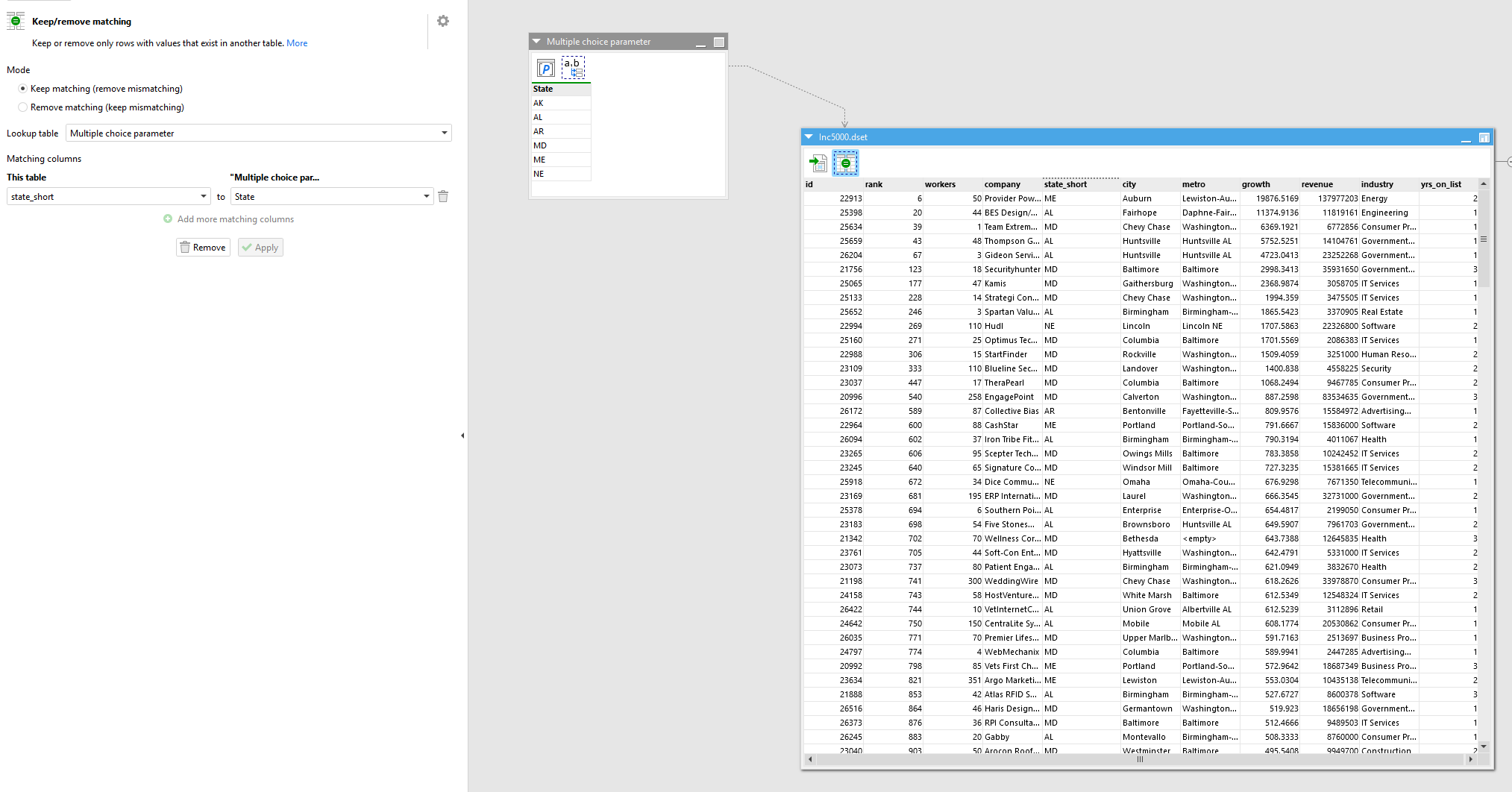
I attach this project and the sample dataset file in a zip:
Filter by multi-select parameter.zip (174.5 KB)
Hi Roberto,
This indeed solves the problem with the substring values. Thanks for the quick response.