Hi,
Is there a way, using EM, to copy an existing Morph file to a new location and populate a parameter within it? I don’t want to run it, just create the file.
Thanks
Hi,
Is there a way, using EM, to copy an existing Morph file to a new location and populate a parameter within it? I don’t want to run it, just create the file.
Thanks
You can copy the file and then set the parameters when you run it using the call action. That won’t actually save the parameters into the morph file though.
If you open an EasyMorph .morph file in a text editor you will see it is just an XML file. If you load it in to EasyMorph using the “Import XML file” action you can see it unpacked as a table or you can load it in using the “Import plain text” action to load it in as a single column table. You could find and replace the parameter values and save the file back out again.
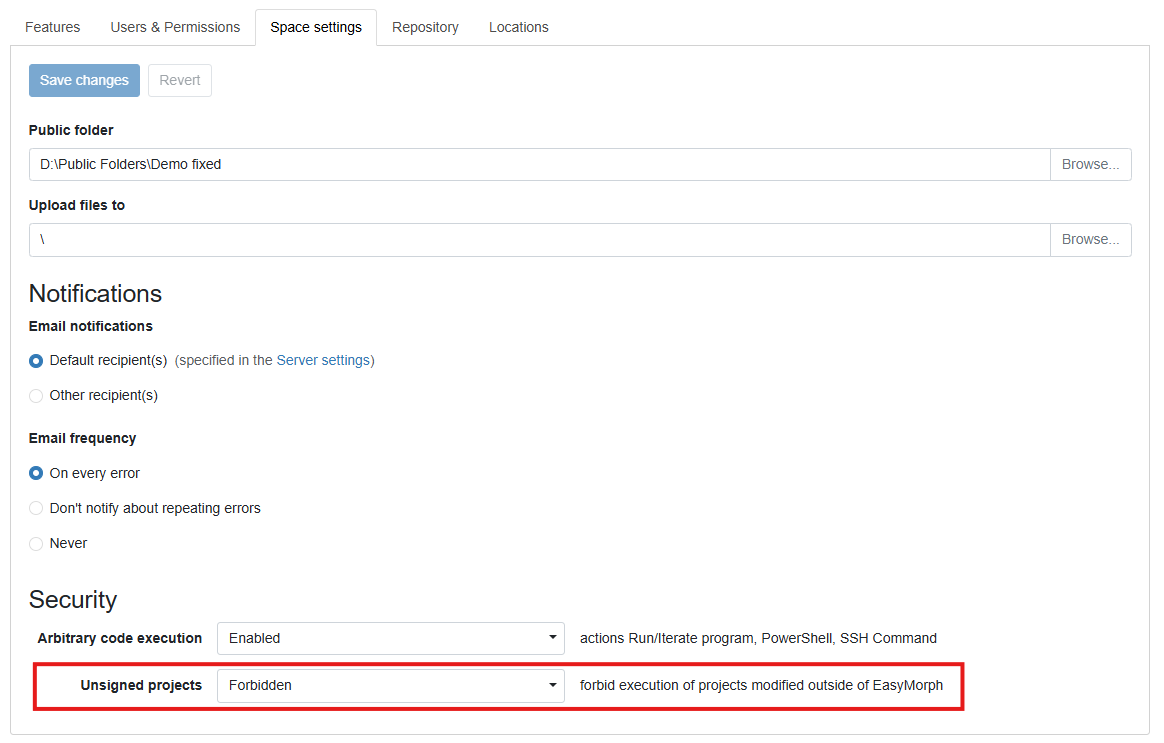
Note that if you modify a file in this way it might break the file signature and subsequently you might find EasyMorph Server won’t accept the file. There is an option in the Space setting to change this behaviour but it obviously comes with risks you should consider.
Hi Matt,
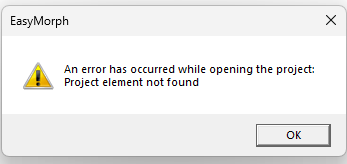
I’ve tried the XML method but come across this error when I try to open the new morph with the updated parameter:
I’ve attached the morphs of the workflow being copied, and the workflow doing the copying and editing of the parameter, could you have a look and see where I’m going wrong? Thanks.
Copy morph and edit parameter.morph (3.5 KB)
Morph to copy.morph (2.0 KB)
Hi Alistair
Apologies, some how I missed your response. I’m not 100% sure why your method doesn’t work, I’ll see if I can work out why. Here is a method loading the morph file as plain text then doing a simple text replace and then saving the file again as plain text. You should see the parameter value change from “ABC” to “123” and be able to open the morph file after.
Project with param.morph (1.6 KB)
Edit the param in the project.morph (2.9 KB)
Regards
Matt
Thanks Matt, that’s worked
Hi again,
We've noticed a corrupt Morph will be produced if the parameter value being passed contains an ampersand (&), see below:
Before:

After:

Can you think of a way around this?
Hi,
Yes, its corrupted because EasyMorph thinks that the ampersand if the start of a character code. If you set a parameter in EasyMorph to "Fish&Chips" it is saved as follows:
<TextParameter Name="Parameter" Value="Fish&Chips" MultiLine="false" />
You can see that it encoded the ampersand to "&". So if you replace any ampersands with this code before writing to the file it should work as expected.