Hello,
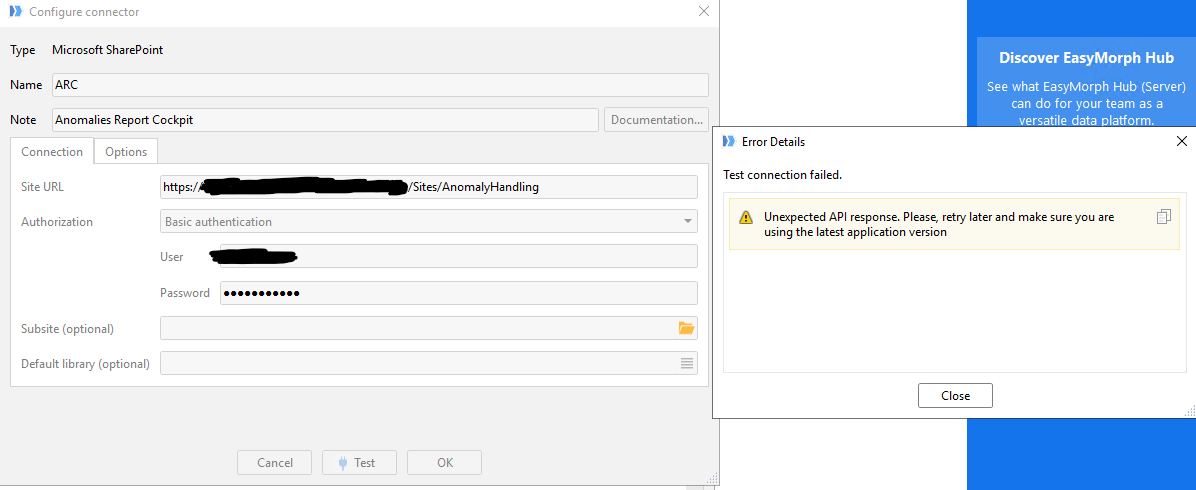
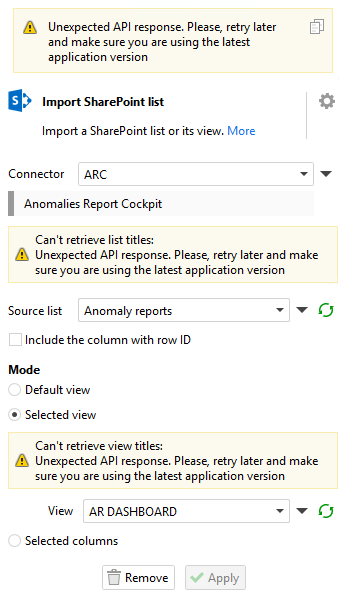
After updating to the 6.0.1 version, we can't connect anymore to Sharepoint.
To be sure about our EasyMorph version, I just made the last install of the Server and Desktop version.
Could you tell me what is the problem and what should I do ?
This is the debug log of my project :
[0] Exception message: Unexpected API response. Please, retry later and make sure you are using the latest application version
[0] Exception type: Exception
[0] Exception source: Morph.DataDrivers
[0] Exception stack trace: at Morph.DataDrivers.Integrators.IntegratorRequestService.#=zpyyamTvZOuAvYtP1SGfC8dA=`1.MoveNext()
[0] Inner exception is empty
20260625 10:14:45 [DBG] [DRV] Request is not retryable
20260625 10:14:45 [DBG] [DRV] Error during request execution, try 0 of 3
[0] Exception message: Unexpected API response. Please, retry later and make sure you are using the latest application version
[0] Exception type: Exception
[0] Exception source: Morph.DataDrivers
[0] Exception stack trace: at Morph.DataDrivers.Integrators.IntegratorRequestService.#=zpyyamTvZOuAvYtP1SGfC8dA=`1.MoveNext()
[0] Inner exception is empty
20260625 10:14:45 [DBG] [DRV] Request is not retryable
20260625 10:14:45 [DBG] [DRV] Error during request execution, try 0 of 3
[0] Exception message: Unexpected API response. Please, retry later and make sure you are using the latest application version
[0] Exception type: Exception
[0] Exception source: Morph.DataDrivers
[0] Exception stack trace: at Morph.DataDrivers.Integrators.IntegratorRequestService.#=zpyyamTvZOuAvYtP1SGfC8dA=`1.MoveNext()
[0] Inner exception is empty
20260625 10:14:45 [DBG] [DRV] Request is not retryable
20260625 10:14:46 [DBG] [DRV] Error during request execution, try 0 of 3
[0] Exception message: Unexpected API response. Please, retry later and make sure you are using the latest application version
[0] Exception type: Exception
[0] Exception source: Morph.DataDrivers
[0] Exception stack trace: at Morph.DataDrivers.Integrators.IntegratorRequestService.#=zpyyamTvZOuAvYtP1SGfC8dA=`1.MoveNext()
[0] Inner exception is empty
20260625 10:14:46 [DBG] [DRV] Request is not retryable
20260625 10:14:47 [DBG] [DRV] Error during request execution, try 0 of 3
[0] Exception message: Unexpected API response. Please, retry later and make sure you are using the latest application version
[0] Exception type: Exception
[0] Exception source: Morph.DataDrivers
[0] Exception stack trace: at Morph.DataDrivers.Integrators.IntegratorRequestService.#=zpyyamTvZOuAvYtP1SGfC8dA=`1.MoveNext()
[0] Inner exception is empty
20260625 10:14:47 [DBG] [DRV] Request is not retryable
20260625 10:14:47 [DBG] [DRV] Error during request execution, try 0 of 3
[0] Exception message: Unexpected API response. Please, retry later and make sure you are using the latest application version
[0] Exception type: Exception
[0] Exception source: Morph.DataDrivers
[0] Exception stack trace: at Morph.DataDrivers.Integrators.IntegratorRequestService.#=zpyyamTvZOuAvYtP1SGfC8dA=`1.MoveNext()
[0] Inner exception is empty
20260625 10:14:47 [DBG] [DRV] Request is not retryable
Thank you