Hi,
I’m trying to build a Data Access Request workflow to live on our Data Catalogue.
The way I envisaged this was:
- User retrieves a Computed Dataset Asset that simply lists all SQL Database Objects in our Data Estate, the fields being: [database_name], [schema_name] and [object_name].
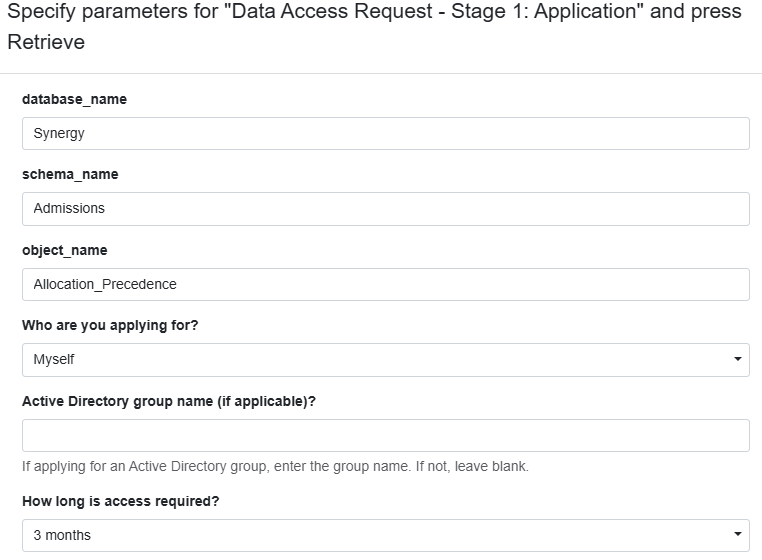
- Using a Row Command, the User could then pass the 3 SQL values into a secondary Computed Dataset Asset. This Asset is effectively an application form, containing 3 Parameters for the above SQL values, and several other Parameters used as application questions (open text, fixed list, multiple choice) which collect information such as ‘Where will you store the data?’ and ‘What are the expected benefits’?
I’ve built both Assets but when I try to link them together, I can’t find a way of passing the 3 values into the Second Asset whilst also prompting the User to populate the other Parameters.
Hopefully I’ve explained it, is there a way of doing this? Or will the User need to trigger the Secondary Asset directly to access the remaining Question Parameters, and populate the 3 SQL parameters manually?
Thanks!
Alistair
Maybe some visual aids will help:
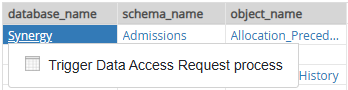
The First Asset with the Row Command:
How I would like it to populate and prompt (some of) the other Parameters in the Second Asset:
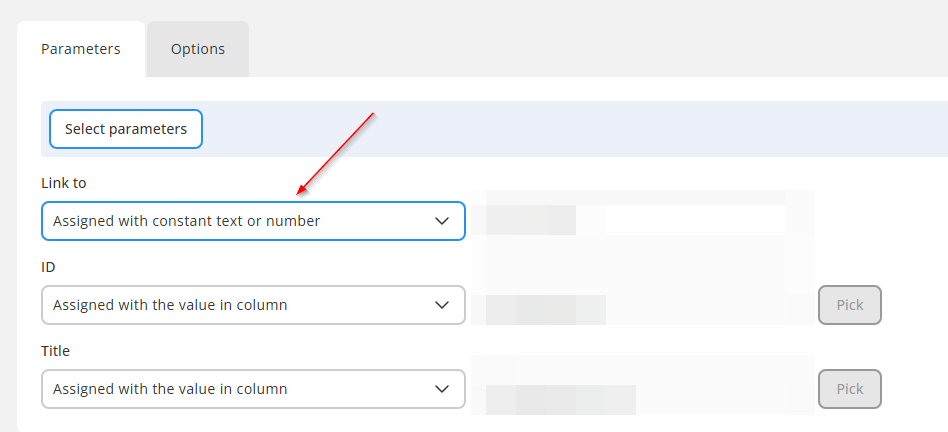
In the command settings, assign the remaining three parameters (Why are you applying for, AD group name, How ling is access required) using the "Assign with constant text or number" mode (see below). In this mode, the parameter is assigned not with a column (row) value, but with a pre-defined constant. Leave the constant value empty or pre-fill it with a default value.
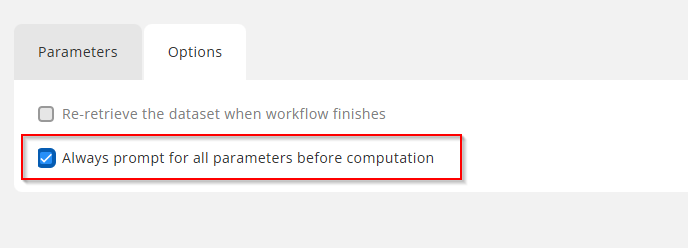
In the command settings, tick the "Always prompt for all parameters before computation" option. This will force the parameter dialog to show up before the command is executed.
Thanks Dmitry, the issue I have is that the other Parameters will require input from the User, different people will need to select/enter different information into them., so having a constant/default value for all won’t work. The bit I’m trying to avoid is the User entering the database, schema and object names manually (to reduce error) in the Second Asset, but I think it’s something we can live with and build around.
I appreciate the effort though, thanks!
This is exactly why we have the "Always prompt for all parameters before computation" option (shown above). When it's ticked, the users will be able to select/enter different information. The constant values in this case are used as the default choices, but you can keep them empty if no default choices are required.
It appears to me you can configure the command to behave exactly as you need it, without any workarounds.
D’oh, yes this works perfectly. Thanks as ever!