Hello,
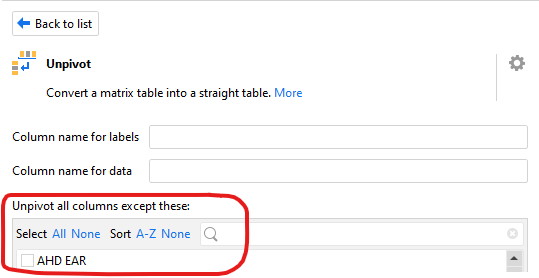
While doing a “generic” project, I am stuck by the Unpivot action.
We have to manually select the columns we don’t want to unpivot.
It could be really good to have the possibility to use a list of values instead of a manual selection :
Do you think it is something possible to add from your side ?
By “Generic” I would like to say : a project callable by anyone who would like to use it.
So it’s a project were you pass some parameters and all actions are automated, it’s like a function usable with any EasyMorph project.
Thank you guys, have a great day !
Hi @WindBlast,
I've not worked on this specific question, but I've "disassembled" a fair number of easymorph actions to make them paraterisable by a list of columns to create such "generics".
The workaround pattern to achieve this is as follows:
- (add an index to the input table)
- split the input table into (1) the part you want to change on and (2) the part you want to keep unchanged using the .
- make the changes
- recombine tables (1) and (2)
Adding the index is only required if the changes you apply remove/add rows. Otherwise, no key is required.
generic column list - unpivot.morph (7.2 KB)
Cheers,
Laurens
Hi @Sir-McNeil ,
Thank you for your answer.
I see what you do, I don’t really know if something like this can help me.
I have no time right now, but I will work on this in next weeks, I will see if I can do it like this !
Best regards
I happen to have worked on a few modules this week that implement the pattern.
column parameterisation examples.morph (27.8 KB)
I've included a short description for each, as I couldn't include any data for confidentiality reasons. They cover two use cases:
- change the way amounts are displayed in GL postings (first 2)
- help with cleaning up dirty CSV imports (with Parsing errors)
I hope the examples are still instructive, even without the data.
Soll-Haben Kennzeichen
Transform this:
| debit/credit |
amount |
| .. |
.. |
into this
| debit amount |
credit amount |
| .. |
.. |
but (crucially) parameterised with column names for those two columns.
Einzelbetrag
Transform this:
into this
| debit amount |
credit amount |
| .. |
.. |
but (crucially) parameterised with column names for those two columns.
shift columns right
A column included a quote, and now 3 columns are mashed into one. To fix this:
- move the data 2 columns to the right (actually, move column names 2 to the left)
- split the offending column
This module only performs the first step, as the second step requires fine-grained control and cannot easily be parameterised.
shift columns left
A column included a delimiter (or several) and the data from 1 column is spread across multiple. To fix this:
- merge the two columns whose data actually belong to only 1 column (the first of the two)
- delete the second column
- move data that sits to the right of the merged columns one over to the left (actually, move the column names one over to the right)
rinse and repeat, if necessary, by applying this transformation multiple times.