I have a file provided in XLS. The Convert Data Type function does not seem to work properly for a small subset of items that are being incorrectly transformed. I’ve tried to convert to both Text and Number, but the values are not properly displaying. Any suggestions?
What options do you have within the convert data type action? If you haven’t already, you should se the Convert and Number format options as below:
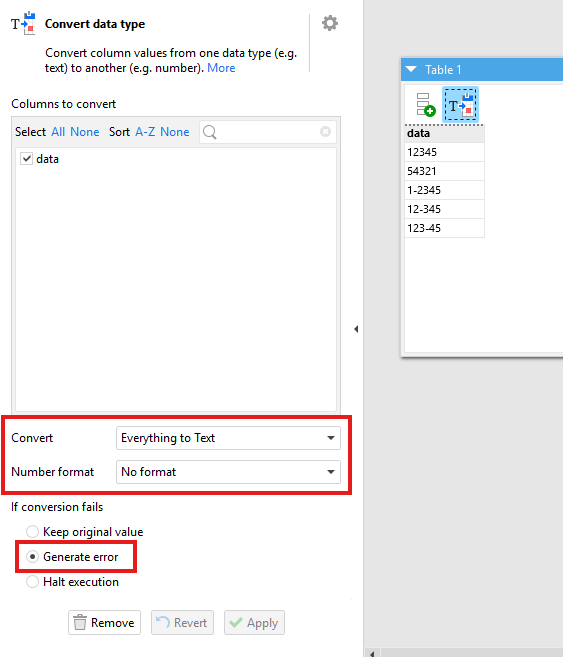
I’d also recommend setting the failure option to “Generate error”. If you use keep the original value then you can get the original value simply passed forward if an error occurs without seeing what the error was.
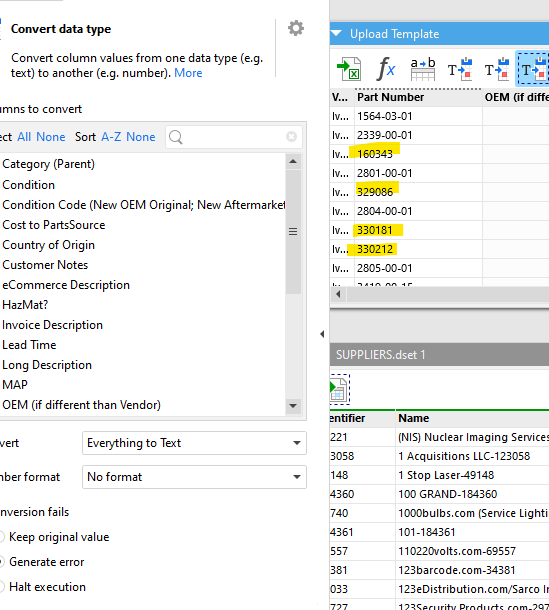
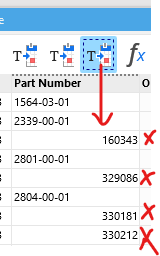
The alignment to the left means they are being stored as text not numbers. They are text strings which happen to contain only numeric characters.
Is your problem that they aren’t formatted as you expect? For example, should they contain hyphens like the examples you indicate are handled correctly?
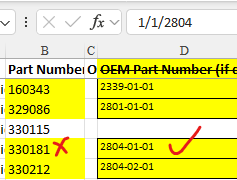
No; the problem is that the numeric values (with hyphens) are not converting properly when pulling the file into EasyMorph. I haven’t run into this problem before and wonder if I am doing something wrong or if there is some kind of bug? In the example provided, the Vendor gives Part Number 2804-01-01, but EZM is giving me value 330181. There are three other examples highlighted in yellow but all are the same situation.
Are you able to share the source file and your EM project? You can email them to our support email address: support@easymorph.com
We can then try and recreate the issue and advise from there.
OK; Source File now sent to Support Email
Thanks for sending the file. Looking at it, I think I see what the problem is.
If you open the Excel file you’ll see that the P/N column is all set to left-align. This is making it look like they are all text, hiding the real data types. If you turn left-align off you will see that they align left or right dependant on the data type (text or numeric) and the one’s you highlighted in yellow are aligning right indicating they are numeric in the Excel data.
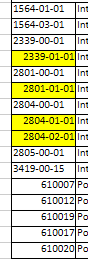
If you select any of the ones marked yellow you’ll see that they are in fact marked as dates in Excel. So Excel believes “2339-01-01” is the 1st of January 2339; just formatted in the pattern “yyyy-MM-dd”. Excel stores dates as numbers, thus why they right align.
EasyMorph is doing exactly as we expect it to. It is simply mirroring the data types that it finds in the Excel spreadsheet. When it sees a date in Excel it imports it as a numeric value which indicates the number of days past the epoch.