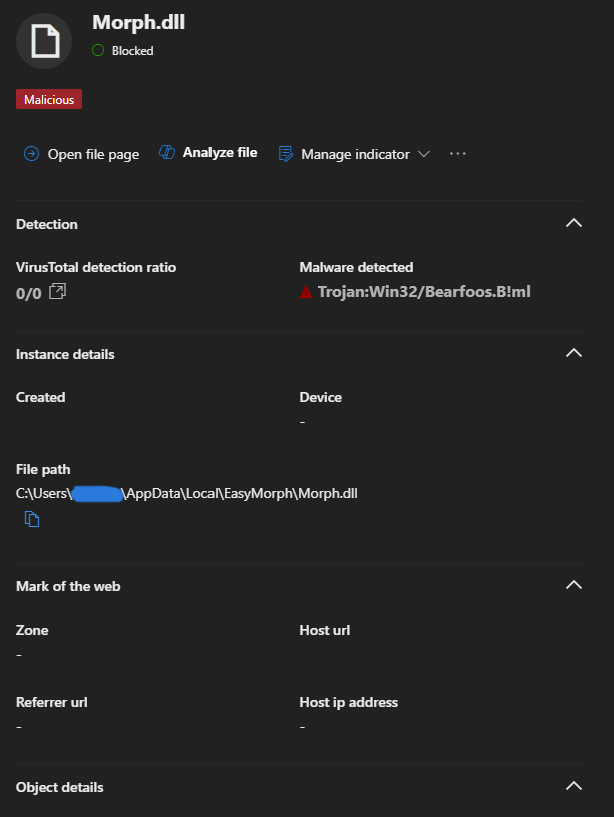
on Friday, we upgraded EasyMorph from version 5.8.7 to 6.0.1. Since then, Windows Defender has been detecting malware in Morph.dll, which is causing issues in our environment.
We are primarily working with EasyMorph Desktop and did not experience this problem before the upgrade.
Is this a known issue? If so, do you have any recommendations on how to resolve it?
Please make sure that your EasyMorph users install EasyMorph only from our website. The official installer has been checked by multiple anti-malware software and found to be clean: VirusTotal
We can't guarantee installer integrity if it's downloaded from somewhere else. Also, EasyMorph installers are signed with a valid code-signing certificate. Don't install the software if you see Windows warnings that the certificate is invalid or broken - it means the software was modified elsewhere after it was downloaded from our website.