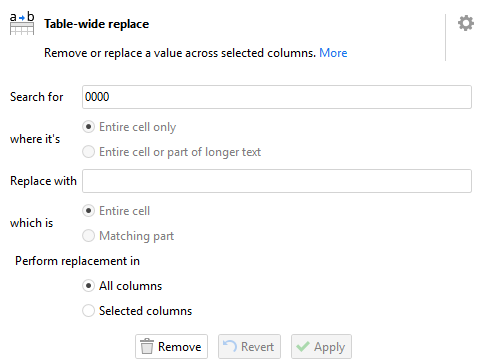
The image already shows that the user input is being interpreted as a number: the "where it's" options, which apply only to text replacements, are greyed out.
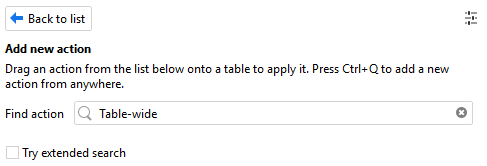
It does show up for "Table", "wide" and "replace". Apparently the hyphenation gets processed as a single term by the search bar, but not by the index being searched.
In that sense, it's a very similar bug to the one in this post: both are cases where the user entry field gets processed subtly differently from the underlying data (the columns of the dataset, the action metadata).
I can confirm that searching for "Table-wide" doesn't work in version 5.9.8.18, but both "Table" and "wide" do work. Also, in version 6.0+, all the three cases work as expected.
Your observation is correct. The "Table-wide replace" action distinguishes text and numbers and has different functionality in both cases.
While this has clear limitations, such as the case you demonstrated, trying to accommodate all possible replacement scenarios in one action might lead to overcomplicating it.
Luckily, EasyMorph has a plenty of tools to design a workflow that does exactly what you need, even if one particular action doesn't do it out of the box.
Here is your example reworked using the "Iterate columns" action. While it's more elaborate, it implements exactly the behavior you're looking for (if I understood it correctly).
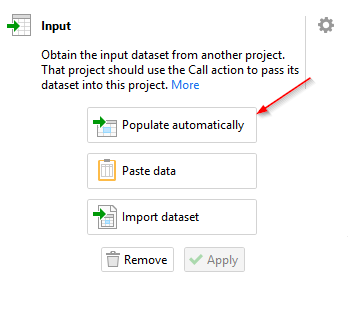
Note about the example: if you're new to the "Input" action, press the "Populate automatically" button in the action settings to retrieve the first column as a sample.
Thank you for the pointer. I relied on the app Update feature to keep me up to date, but apparently it didn't pick up major version upgrades (I'm on Version 5.9.8.7 and the Check for Updates said "You're using the latest greatest version." even though I had it set to "Notify me about updates with new features or bug fixes (happens more often)").
After updating to version 6.0.1, "table-wide" finds the action.
Thanks. I had indeed patched it by creating a small "table-wide replace" module using the iterate columns action :).
I do disagree that this is a case of "trying to accommodate all possible scenarios". Column data 0000 is interpreted as text. User input 0000 in the table-wide replace is treated as number. It's the divergence that leads to the behavior being unexpected for me.