I was running the iterate program with the same arguments for 3 years, but now I receive the error that the application path is not defined. Anyone any idea why now?
According to the handbook, by default, if it was empty it's supposed to use cmd.exe, but why isn’t it using it now?
I have updated easymorph this week to 5.9.8.17, and I also got a windows update.
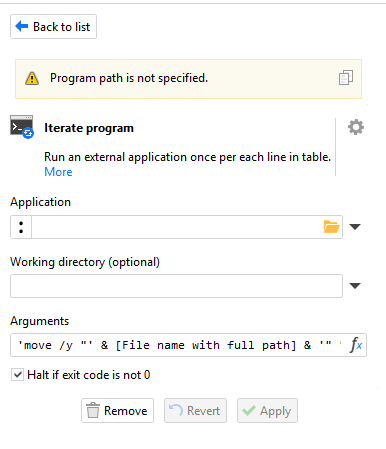
also, if I add he path to cmd, then it’s just running endlessly. i let it run for 15 minutes to move a 700kB file, and still nothing happened.
As for the first issue, most likely it's a bug on our side. As for hanged execution, looks like it waits for a user input. Please try to run the same command from Windows Console.
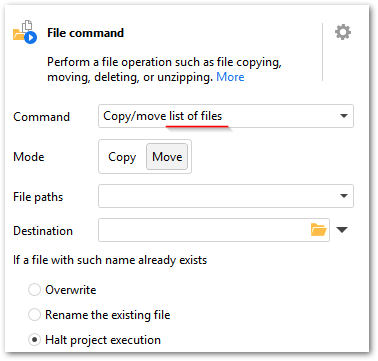
@andszu You don't have to use "Run program" or "Iterate program" just to me files. Did you know that you can use the "File command" action to move files? Pair it with "Iterate" and move any number of files.

If all the files are moved to the same location, you can use the "Move a list of files" command to move multiple files with just one action:
@dgudkov I know I can use it, but then I can move and rename it with one step.
@andrew.rybka thanks, I’ll do that and check it