I am getting now error using SharePoint connector. The only thing that has changed int he past years when I was using it that Microsoft has actively started phasing out the legacy authentication method (IDCRL).
I was trying to see if I can change it to OAuth, or anything else but I cannot get it to work. Does anyone face the same and maybe found the solution?
I use a service account for authentication, and I’d like to keep that.
Have you tried to authorize the connector using the "Multi-factor authentication" mode and a Microsoft account from your Microsoft tenant? If that fails, please post (or send to support@easymorph.com) a screenshot of the error message.
Also, do you have access to the Microsoft Entra admin center of your Microsoft tenant?
@andszu, can you please elaborate on what you mean by "service account"? Microsoft Entra, which handles authentication to all the Microsoft 365 resources, has three types of service accounts: managed identities, service principals, and user-based service accounts. Do you know which of those you are referring to?
Have you tried switching the connector's authentication mode to "Multi-factor authentication", clicking "Authorize", and entering the username and password you used previously?
P.S. If this issue is blocking your production workflows, you can try to ask your admin to temporarily allow the IDCRL authentication again.
Here’s the timeline Microsoft shared for SharePoint Online and OneDrive for Business: mid-February 2026 is when remaining legacy (IDCRL) logins will be blocked by default. If customers need additional time to complete migration, tenant admins can temporarily allow legacy authentication again (extension)until April 30, 2026 . Then, on May 1, 2026, IDCRL is fully retired and cannot be re-enabled.
It will stay authorized for at least 90 days. We have implemented internal mechanisms to ensure that actively used shared Microsoft connectors stay authorized indefinitely. However, some customers have reported that their connectors lost authorization after 90 days. Please let us know if you experience this as well.
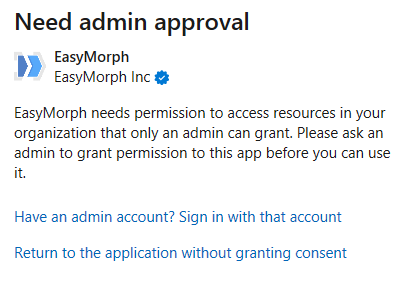
 I made it work now.