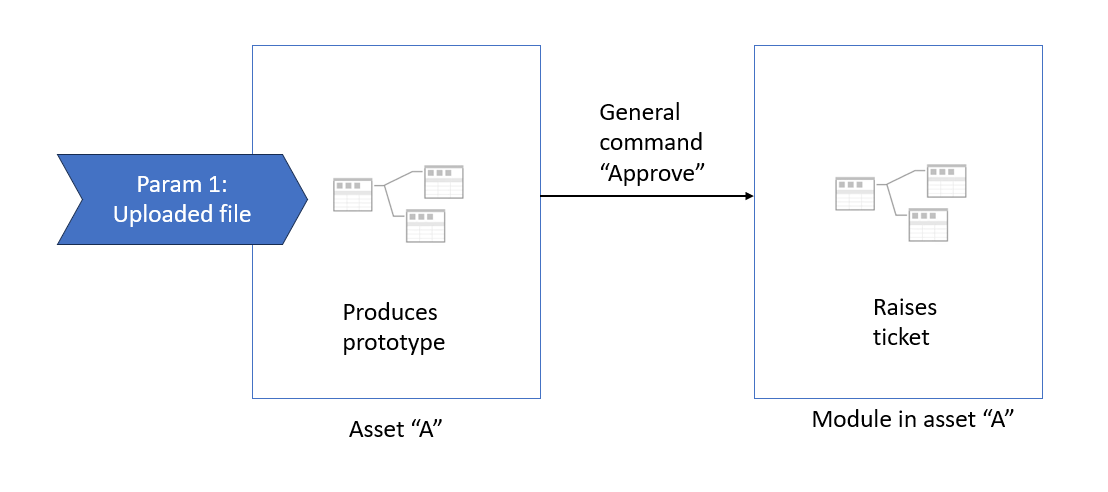
We regularly receive requests from analyst customers asking us to build new SQL tables.
To manage this more effectively, we've built a Hub Morph which:
Asks the User to upload a structured spreadsheet containing the details of the request, which then
A SQL Stored Procedure pieces together the various elements of the request into a functioning SQL script, which then
Produces a prototype data table and is presented to the User
The above works well.
The 2nd stage is the slightly tricky bit. At that point we want:
The User to click on an 'Approve' button, which then
Triggers a module within the Morph to populate a Board with details of the request for our Developers to review and productionise.
Currently:
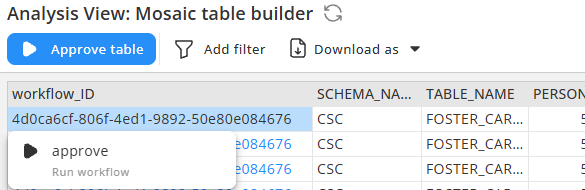
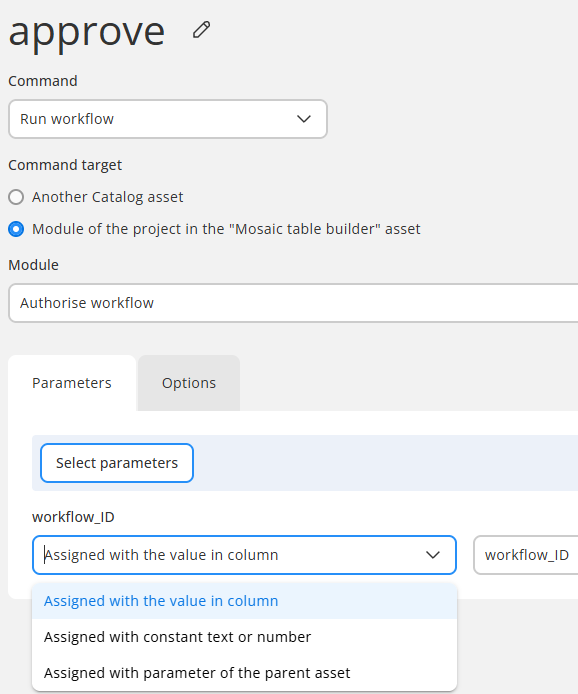
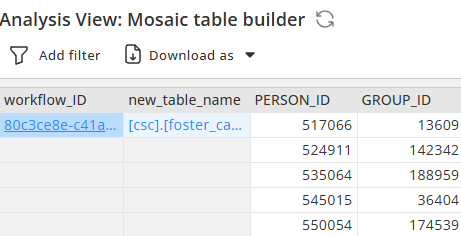
This is achievable using a Row-level Command, as it passes the Column 'workflow_ID' value into the Module. However I think it looks visually confusing for the User, as it looks like it's only applying to one row of the table, which it isn't.
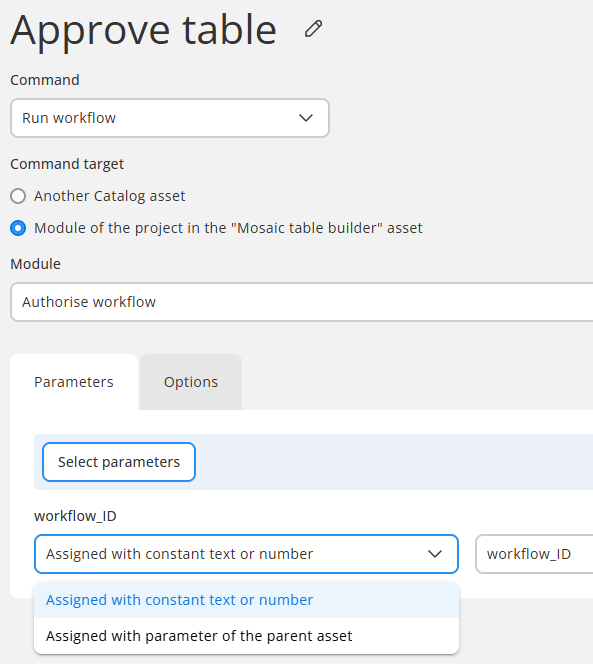
Ideally, I want to use a General Command, as it looks clearer and more appropriate, but I don't think I can pass a computed value into the Module this way?
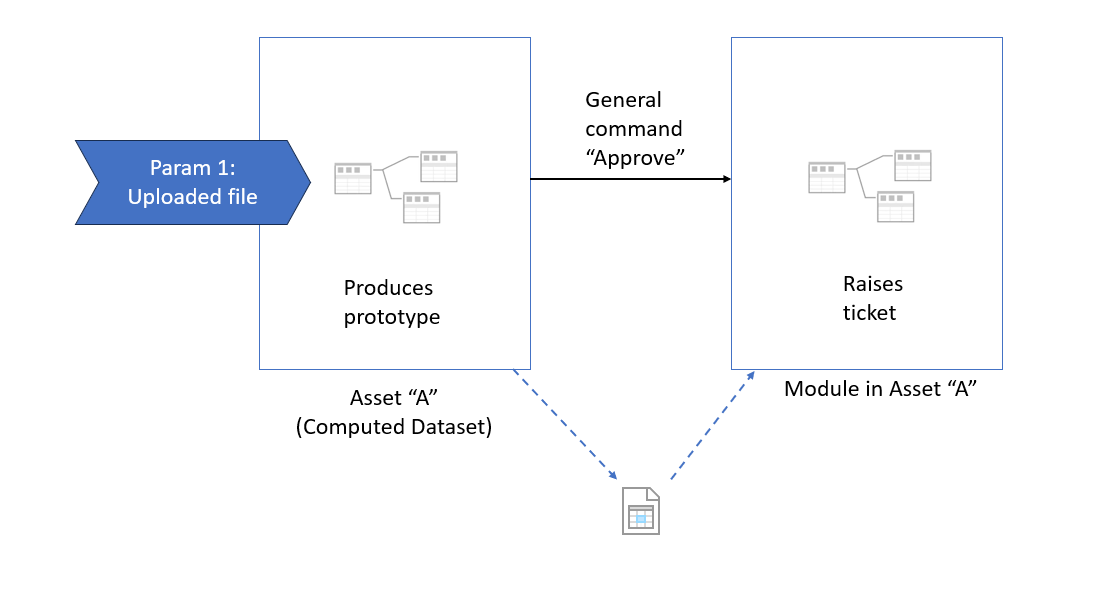
If what the approver sees is a computed dataset that was computed with a parameter (e.g., workflow ID), then this parameter can be linked in the general command. In other words, you need to pass to the workflow behind the general command something that would allow that workflow to obtain this dataset or provide the context in which the dataset was created - issue ID, request number, or something else on which the workflow can act.
In some cases, the workflow that produces the dataset can save something (e.g., a .dset file) which can later be picked up by the general command.
workflow_ID is a GUID derived in the Main workflow (technically it's from the System Information action in a parent Morph I created for replicability).
How I'd like it to work, in a nutshell:
User clicks Retrieve, uploads spreadsheet, doesn't need to populate any other parameters
The workflow_ID is then created in the Morph (you can see it in the result table above)
By using a General Command, the workflow_ID is passed to a parameter in a child module to populate the Board.
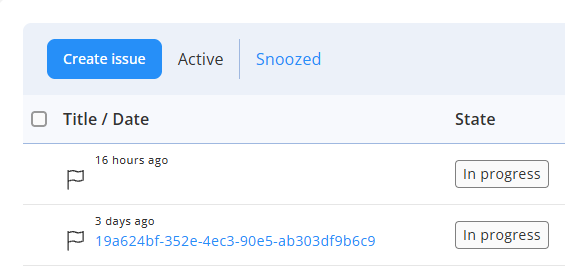
I should have added in the initial post, this is the result difference between General and Row Command in my use case, first Issue is General, second Issue is Row, in both instances I'm attempting to use the workflow_ID as the title of the Issue:
Retrieving Asset A populates a SQL table logging all retrievals (regardless of whether they are approved)
Clicking 'Approve' runs a Module within Asset A which imports the relevant record from the above SQL table, using 'workflow_ID' as a parameter
The details of that record are then passed to a 2nd module to populate the Board, using parameters of the details of the request (e.g. new_table_name, user_email, generated_SQL etc.)
I'm trying to pass the workflow_ID to provide the details to the Board without asking the User to populate more parameters than necessary. Can parameters be dynamically populated in the Main module?
At this point, general commands only accept the parameters of the calling asset (or constants). It's not possible to assign command parameters with dataset values. As a workaround, you may add one more parameter in Asset A, for instance, to obtain the user name or email or something else that would help identify the dataset. But that would require the user to enter additional information besides just uploading a file.
Another option would be to make the workflow behind Asset A save the dataset with a name that can be attributed to the user (e.g. <user_name>-.dset). The user name can be obtained via the "System information" action.
Then the general command "Approve" would run a module that would also obtain the user name with the "System information" action and thus will be able to find the latest dataset produced by Asset A and attributed to the user. From the file name, it can extract the workflow ID and use it further. The downside of this approach is that it can only handle one open request per user.
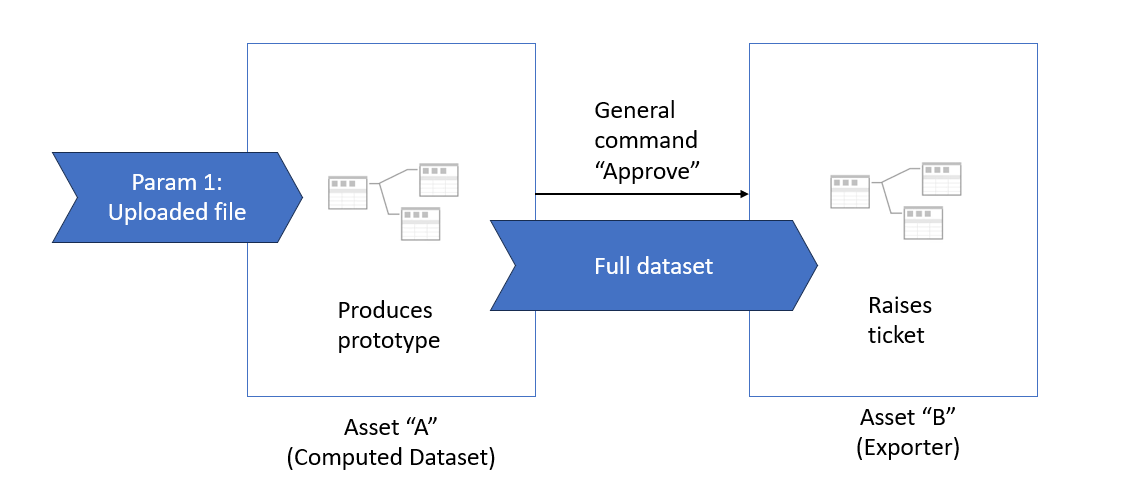
EasyMorph has recently introduced Exporter assets that are basically workflows that can accept a whole dataset in addition to parameters. However, Exporter assets are still not supported as general commands. We planned to do this in a later version, but after an internal discussion, we've decided to make it possible to use the new Exporter (and Transformer) assets in general commands in the upcoming version 6.2 (planned for release in about 2-3 weeks). When it's added, you can create an Exporter asset, use it for a general command, and the asset will receive the whole dataset, including the column with the workflow ID. The workflow would then work as below:
After giving it a bit more thought, I think you may not even need an external file. Just add the user name to the SQL table where you log all retrievals. Then you should be able to locate the record with the submission that the user approves.
The limitation remains - this method would allow dealing with only one submission per user at a time.
Thanks Dmitry, I did something similar yesterday as a test, using a 2nd parameter called 'new_table_name', which worked for the General Command.
In the end I've gone back to Row Command, as I think passing calculated values is a better solution for this use case than parameters, so now the User only needs to upload the spreadsheet, and I've tidied how the Row Command columns look:
@alistairhay Just to confirm, support for transformer and exporter catalog asset types in general commands has been added to version 6.2 which should hopefully be released later this evening.