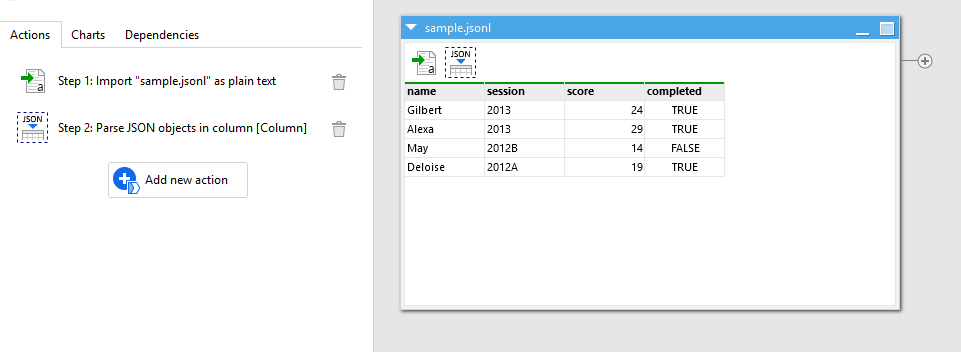
The JSONL (JSON Lines) format is becoming more popular. It's a simple format that contains one JSON object per text line. Reading it in EasyMorph is trivial, however may not be obvious:
- Import the file using the "Import plain text" action, select the option "Import every line as new row".
- Use the "Parse JSON" or the "Extract JSON properties" actions to convert the loaded JSONL to a table
This method won't work if text literals inside JSON objects contain line breaks.
See the example below:
import-jsonl.zip (1.8 KB)