How can we export the connectors from the connector repository to an excel file ?
That's not possible. The repository is a secure encrypted vault whose whole point is to make it impossible to extract data from it outside of workflows.
Hi
Ok thanks. The aim was not to extract all secret info but e.g. host information, connector names, etc because we are preparing a migration and wanted to have the overview of our current connectors in a spreadsheet.
Kind regards
Nikolaas
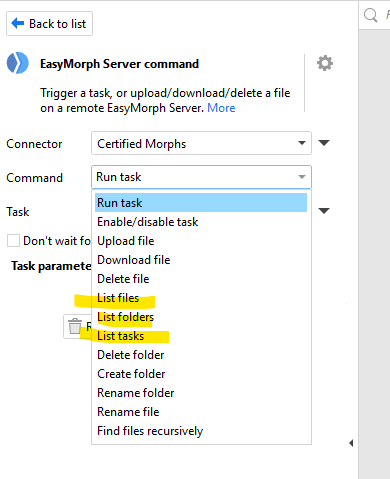
Seconding this! We also have a use case for being able to export the list of connectors in a Server Space out to an excel file or a database. Similar to the 'List of Files' or 'List of Tasks' command under the 'EasyMorph Server Command' action, I'd like to have a 'List of Connectors' to help us with governance and standardized naming conventions. Today, we need to manually review each space's connectors individually to implement governance. I wouldn't want all the details of a connector exported, probably just the Name, Type, & Note shown in the Connector Manager.
1 Like
Hi Jacqueline
You can get most of this info by querying the EasyMorph Server Space's repository database. The table "main.DataConnector" contains the name, the class (the type of connector) and the date and time the connector was created.
Assuming you didn't change the default path, they can be found at "C:\ProgramData\EasyMorph Server\Spaces[SPACE NAME]\repo.sqlite"
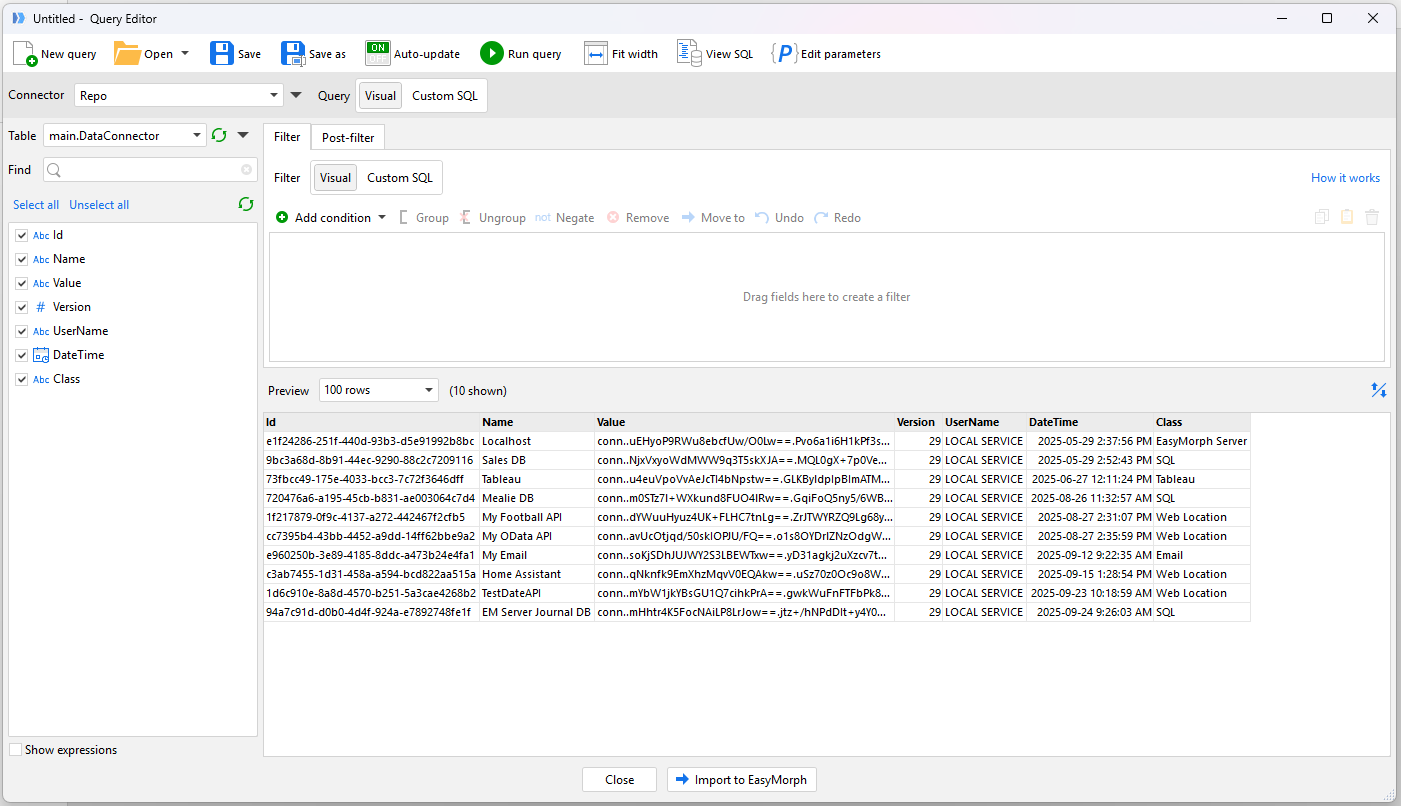
All of the settings for the connector are there, but as Dmitry mentioned above, they are encrypted to ensure their security.
Obviously you'll need to query all of the individual repository databases for all spaces and combine the results to obtain a complete list.
Regards
Matt
1 Like
I took a couple of minutes and created an example project.
List Connectors.morph (12.5 KB)
You can set the parameter "Base Path" on the Main module to the folder under which all the repository databases sit. It should work out of the box if you haven't changed any repositories from using the default location (i.e. "C:\ProgramData\EasyMorph Server\Spaces").
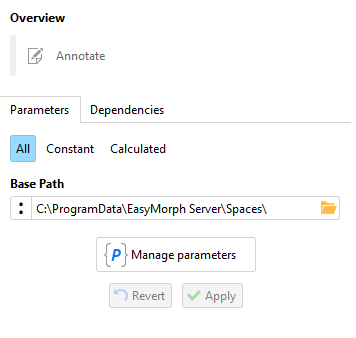
It will scan all sub folders to find files named "repo.sqlite" and then loop through them loading in all the connectors found in them. It will save them to a file named "Connectors.xlsx" in the same folder in which you placed the project.
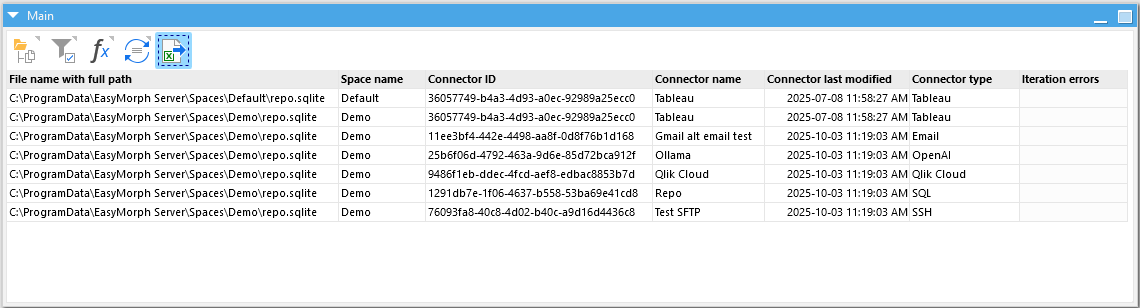
For compliance/audit purposes, as there is a "last modified" date, you could add the new "Skip if unchanged" action to detect if there have been any additions/changes. You could then manually review the connector to see what has changed.
2 Likes