Help with SharePoint Embedded Connection

Hello, I need to get data from SharePoint into EasyMorph so I can get the data in SQL Server.

I am trying to set up an embedded connection to SharePoint and I am having issues.

I had an admin set up a custom app with Site.Read.All permissions.

My admin sent back the Client ID, Tenant ID, and the secret value.

In the connection set up, I check the setting for custom app and provide the App UID and Tenant ID

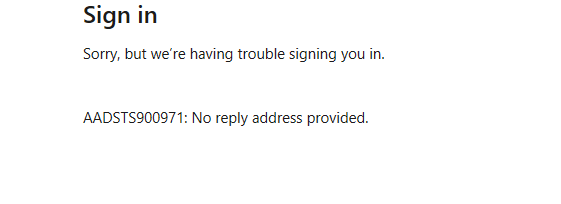
This is the error that pops up when I click authorize

He says it could be because he needs a redirect url, but I have no idea what that could be.

This post suggests using just localhost, but we tried and it still did not work: Redirect URI Easymorph

Any sort of insight helps.

Thank you.

I have a powershell script which using the credentials my admin sent me, I am able to list the files on the sharepoint online group and can even download them to my local machine. So, I know everything is set up correctly in the custom app and I can use other tools, however using EasyMorph could help me automate the data from SharePoint online to SQL Server. Is there any way I can get help with getting this connection?
Hi!

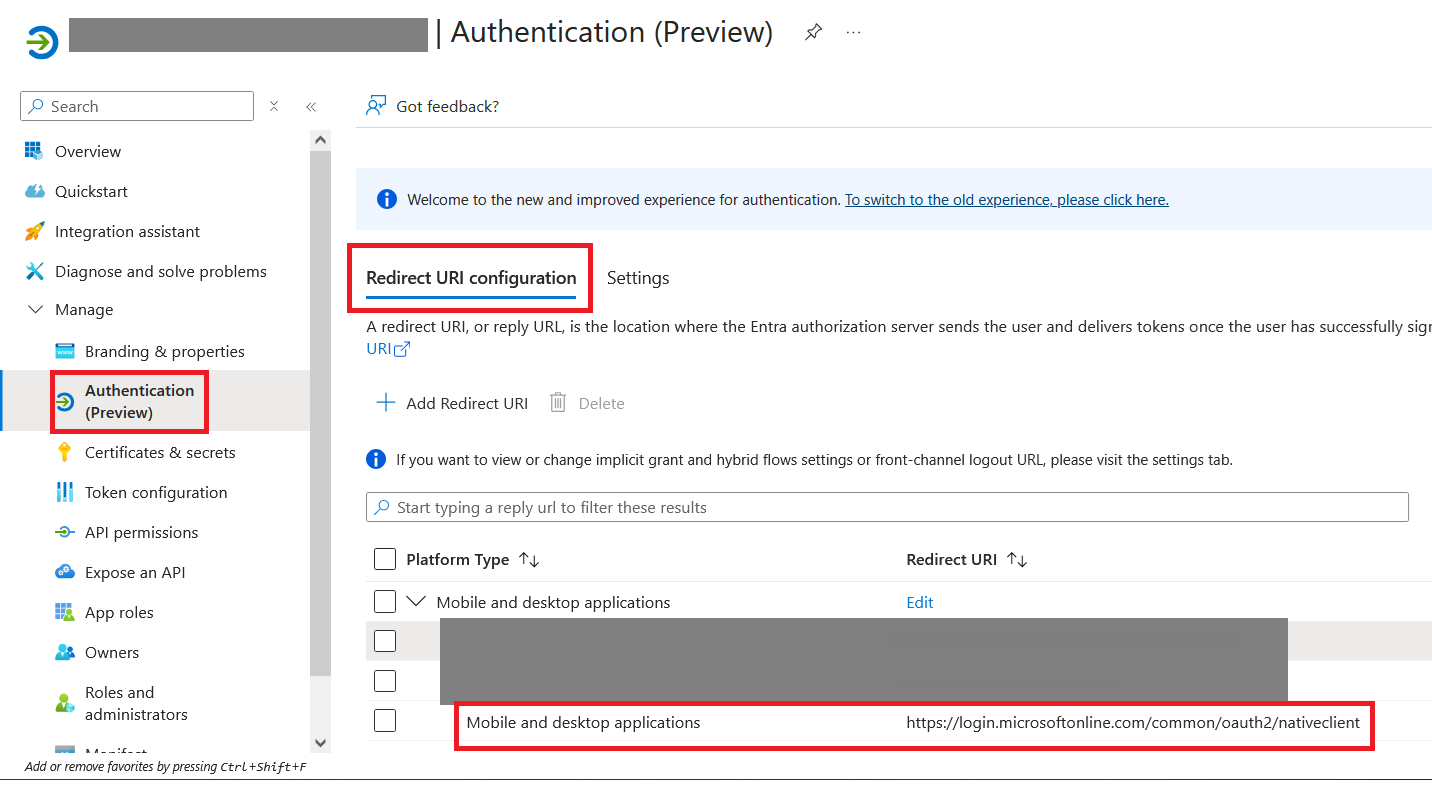
Most likely the redirect URI in your Entra app is incorrect. The correct one for SharePoint is https://login.microsoftonline.com/common/oauth2/nativeclient

Here's how it should look in the Entra admin panel:

1 Like

This worked! Thank you!

1 Like