The below error occurs under the following conditions:
- easymorph is installed under
C:\Program Files\easymorph
Steps to trigger the error:
- hover over any action in the "Add new action" sidepanel.
Result/error:
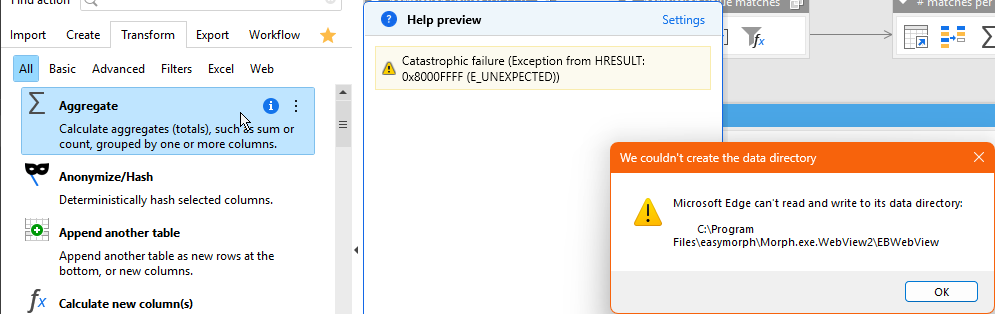
Error message in the Help preview:
Catastrophic failure (Exception from HRESULT: 0x80080005 (CO_E_SERVER_EXEC_FAILURE)
Error message in pop-up:
Microsoft Edge can't read and write to its data directory: C:\Program Files\easymorph\Morph.exe.WebView2\EBWebView
Resolution steps attempted:
- create directory
C:\Program Files\easymorph\Morph.exe.WebView2\EBWebView(hunch: it's really complaining that the directory is missing)
Different error in the Help preview:The requested resource is in use. (Exception from HRESULT: 0x800700AA) - run easymorph as administrator (hunch: it might attempt to create the directory, hopefully with the proper permissions)
Different error in the Help preview:
I suspect that this is an independent error, caused by running easymorph as AdministratorClass not registered - create directory and add Write permissions on the
EBWebViewfolder to the current user
This works. In fact, it looks like the Write permissions can be removed after invoking the Help preview once (which fills the folder with all sorts of files and folders). The Help preview keeps working without the Write permissions, even after an application restart. - reinstall easymorph into the user
AppDatadirectory
that also works, of course.
Suggested fix:
Initialise the folder during installation.