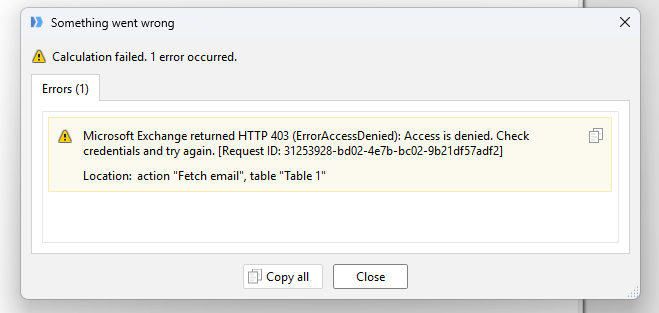
After upgrading to EasyMorph Hub and transitioning our Exchange Online connectors to the new Graph API architecture, I am receiving an "Access Denied" error when trying to read specific shared mailboxes.
Strangely, the connector works perfectly for two other shared mailboxes, but consistently fails on this one. I have tested this on both EasyMorph Desktop and Hub, yielding the same error.
Troubleshooting already completed:
Azure AD Permissions: The "EasyMorph for Exchange Online" app registration has Mail.ReadWrite.Shared (and other required scopes) granted, and Global Admin consent is confirmed.
Exchange Delegation: The user account authenticating the connector has explicit "Full Access" and "Send As" delegation for the target shared mailbox.
Graph Explorer Test (Successful): I logged into the official Microsoft Graph Explorer with the exact same user account used in EasyMorph. I successfully executed the following call: [``https://graph.microsoft.com/v1.0/users/SharedMailbox@contoso.com/messages?$top=1``](``https://graph.microsoft.com/v1.0/users/SharedMailbox@contoso.com/messages?$top=1``).
Because Graph Explorer successfully retrieves the mail but the EasyMorph connector gets Access Denied for the same mailbox and user, the issue seems isolated to the connector's execution.
Are there known issues with the Graph API connector handling specific shared mailbox configurations, or extra parameters required for mailboxes that might be routing differently?
We’re still investigating the issue and working on identifying the root cause and a solution.
I’ll keep you updated as soon as we have any further information.
Hi @davidMF98
We'd like to ask you to run a few additional Graph API requests so we can narrow down where the issue occurs. 1. Get a message ID
In Graph Explorer, run the following request, adding this header:
Prefer: IdType="ImmutableId" GET ``https://graph.microsoft.com/v1.0/users/problem@contoso.com/mailFolders/inbox/messages?$top=1&$select=id
Please replace problem@contoso.com with the email address of the shared mailbox that causes the problem.
You should get a response containing something similar to: { "value": [ { "id": "AAkALgAAAA..." } ] }
We only need the ID from this response for the next step.
2. Translate the message ID
Take the ID from step 1 and use it in the following request: POST ``https://graph.microsoft.com/v1.0/users/problem@contoso.com/translateExchangeIds
with this request body: { "inputIds": [ "YOUR ID FROM STEP 1" ], "sourceIdType": "restImmutableEntryId", "targetIdType": "ewsId" }
Please let us know whether this request completes successfully or returns an error.
3. Retrieve more messages
If step 2 completes successfully, please run: GET ``https://graph.microsoft.com/v1.0/users/problem@contoso.com/mailFolders/inbox/messages?$top=250&$select=id
Again, please replace problem@contoso.com with the affected mailbox.
If all requests complete successfully without errors, there is nothing else we need from you at this point. We will continue investigating the issue on our side.
If any of the requests fail, please send us only the HTTP status/error code. We do not need any mailbox contents, message IDs, email addresses, or other personal data.
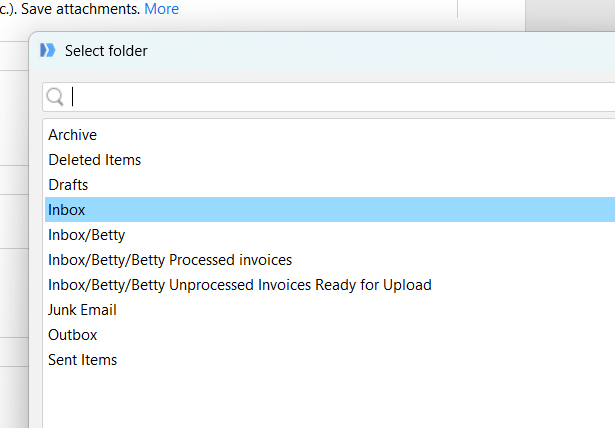
Thanks and sorry for pushing as this is critical for us and the post is opened since more than 20 days. During the migration, we used the test function on the connector to check if it was working. All good but in fact EM is not able to retrieve mails from shared mailbox. Not an access issue as EM is able to see the list of folders. There is also no error when the mailbox is empty.
We have daily processing extracting emails from share mailboxes and we are now blocked.
From your questions, it seems to be linked to the message ids Exchange is sending back in graph api calls which in various formats (ews, rest, rest imutable...) and it exists an http header to set the prefer format => Prefer: IdType="ImmutableId". This solved the step 2 of your earlier post on my side when querying with Microsoft Graph Explorer. If EM is expecting that format, adding this http header may then solve the issue.