How do i connect to sql anywhere? Is a ODBC required?
I found an old thread from 2018 but my software does not look like that. In the help section there is a mention about “Other SQL” but i cant find this option.
How do i connect to sql anywhere? Is a ODBC required?
I found an old thread from 2018 but my software does not look like that. In the help section there is a mention about “Other SQL” but i cant find this option.
Hi Terje,
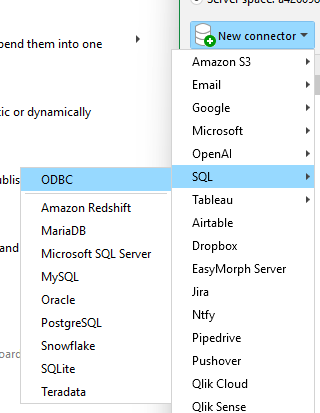
you have the following options in the connectors for SQL:
Kind regards,
Jochen
Hi,
You’ll firstly need the SQL Anywhere 64-bit ODBC driver installed on the same machine as EasyMorph.
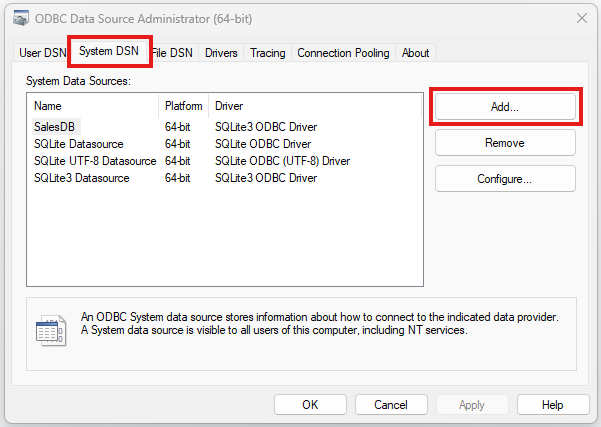
Then you need to create a system DSN for the database. In Windows search for the “ODBC Data Source Administrator (64-bit)” utility and add it n the “System DSN” tab, configuring the details for the database including the address, username and password (if needed).
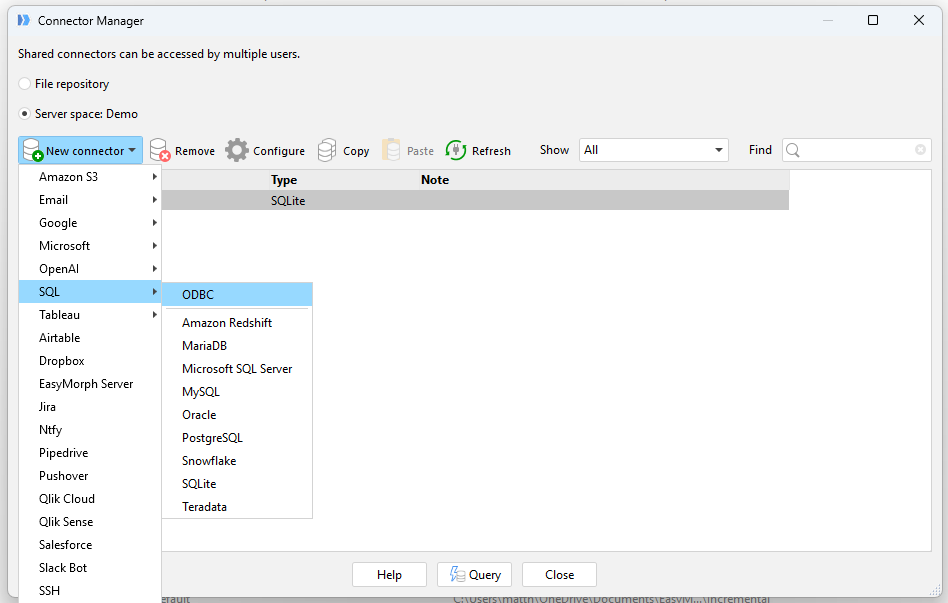
Then back in EasyMorph, add a connector and select “SQL” → “ODBC”. You should be able to choose the System DSN entry you created.
Regards
Matt
Wow. Great support. Thanks guys