Hi Jorge
I had success with this setup (starting from lowest level - the actual file) - I hope it's possible to enlarge and save/print the images below.
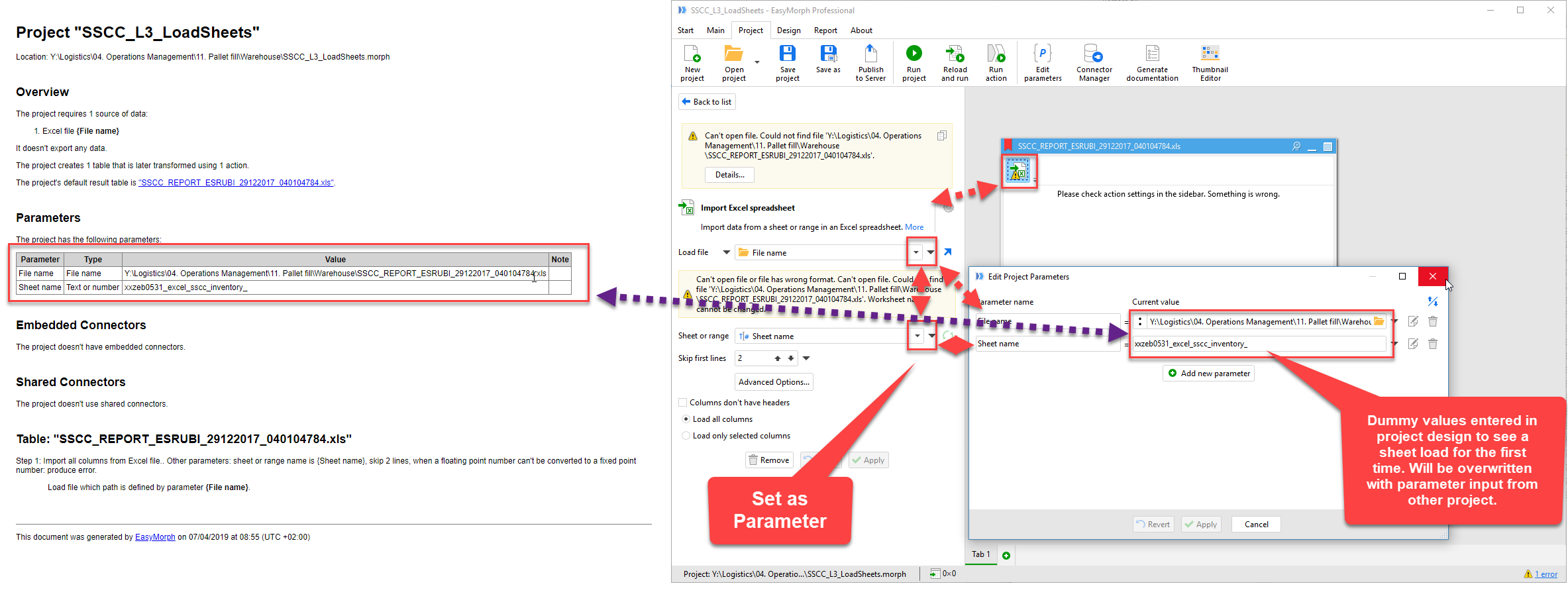
In step 3, when making the project you make a parameter for the sheet name, and enter a specific sheet name to begin with (in order to load a file and sheet in design phase)
In step 2, you define the search string for the sheet name and generate a list of files/sheets to load - The file name and sheet name are assigned as input for parameters in step 3 when defining the iterate process.
In step 1 you get all the columns from the files/sheets defined in step 2 and loaded from step 3.
Loading of the specific file and given sheet:
Loading list of files and sheets - to be fed to step above to load the files/sheets:

Process list of files and sheets in above project, and append result to table:
